
Download BookTranslator – AI‑Powered Book Translation Tool
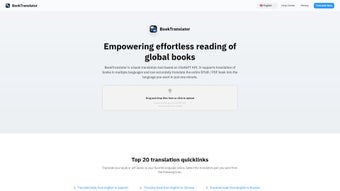
BookTranslator is an innovative AI‑driven translation solution designed specifically for authors, publishers, and avid readers who want to convert entire books from one language to another without losing the original voice. Leveraging the powerful ChatGPT API, BookTranslator delivers fast, accurate, and context‑aware translations for EPUB and PDF files. It supports a wide range of languages—including Chinese, English, Japanese, Korean, Spanish, French, and German—making it a versatile tool for global audiences. One of its standout capabilities is the bilingual comparison view, which lets users read the source text side‑by‑side with the translated version, ensuring that nuance and literary style are preserved. Whether you are a writer seeking to self‑publish in multiple markets, a translator looking for a productivity boost, or a reader eager to explore foreign literature, BookTranslator offers a secure, user‑friendly, and cost‑effective way to bridge language gaps.
Core Features That Set BookTranslator Apart
- AI‑Enhanced Accuracy: Utilizes OpenAI’s ChatGPT model to understand context, idioms, and literary tone, delivering translations that feel natural rather than mechanical.
- Multi‑Format Support: Directly import EPUB and PDF files; the tool preserves layout, chapter headings, footnotes, and embedded images.
- Wide Language Coverage: Native‑level translation for Chinese, English, Japanese, Korean, Spanish, French, German, and expanding to additional languages via updates.
- Bilingual Comparison View: Split‑screen interface shows original text alongside translation, facilitating quality checks and learning.
- Fast Real‑Time Processing: Cloud‑based translation engine delivers results in seconds for average‑length chapters, with batch processing for full‑book workloads.
- Secure Cloud Storage: All uploaded manuscripts are encrypted in transit and at rest, complying with GDPR and other privacy standards.
- Custom Glossary & Style Settings: Users can upload terminology lists and choose tone preferences (formal, casual, literary) to tailor output.
- Automatic Updates: The application checks for the latest language models and UI improvements, ensuring users always have the most up‑to‑date experience.
Pros
- High translation fidelity thanks to ChatGPT’s deep language understanding.
- Intuitive UI that requires no technical expertise.
- Side‑by‑side view accelerates proofreading and learning.
- Supports the two most common ebook formats without conversion.
- Regular free updates keep the tool current.
Cons
- Requires an internet connection for AI processing.
- Large books may need premium cloud credits for batch translation.
- Currently limited to seven major languages, though more are planned.
Installation & Usage: A Step‑by‑Step Guide
Downloading the Application
Begin by visiting the official BookTranslator website and clicking the Download button for your operating system. The installer is available for Windows 10/11, macOS 11+, and Linux distributions (deb and rpm packages). The file size is under 120 MB, ensuring a quick download even on modest connections.
Installation Process
- Windows: Run the
.exeinstaller, accept the license agreement, and choose the default installation path. The wizard will also install the necessary .NET runtime automatically. - macOS: Open the
.dmgfile, drag the BookTranslator icon into the Applications folder, and confirm any security prompts. - Linux: Use
sudo dpkg -i booktranslator.deb(or the rpm equivalent) and resolve any dependency warnings withsudo apt-get -f install.
First‑Time Setup
Upon launch, you’ll be guided through a brief onboarding wizard. Create a free account or sign in with Google/Apple ID to sync your translation history across devices. The wizard also prompts you to set your preferred output language, default tone, and whether you wish to enable the bilingual comparison view by default.
Translating a Book
To translate, click the “Add Book” button, select an EPUB or PDF from your file system, and choose the target language. If you have a custom glossary, upload it in the Settings → Glossary panel. Press Start Translation and watch the progress bar. For large files, BookTranslator splits the content into manageable chunks, displaying a live estimate of remaining time. Once finished, you can download the translated file, export it back to EPUB/PDF, or view it instantly in the built‑in reader.
Troubleshooting Common Issues
If the translation stalls, verify your internet connection and ensure the application has permission to access the network. For PDF files with complex layouts, use the “Advanced OCR” toggle to improve text extraction. Should you encounter any errors, the Help → Support menu provides a one‑click report that includes diagnostic logs for faster resolution.
Compatibility, System Requirements & Frequently Asked Questions
BookTranslator runs on Windows 10/11 (64‑bit), macOS 11 (Big Sur) or newer, and major Linux distributions (Ubuntu 20.04+, Fedora 33+). It requires at least 4 GB RAM, a dual‑core processor, and a stable broadband connection for AI processing. No additional software dependencies are needed beyond the standard runtime components installed automatically during setup.
Frequently Asked Questions
Is BookTranslator free to use?
The core application is free and includes unlimited translations for books under 20,000 words. Larger projects require a modest subscription or pay‑per‑page credits.
Can I translate a scanned PDF?
Yes. Enable the “Advanced OCR” option in Settings. The AI will first extract the text and then perform the translation while preserving page layout.
How does the bilingual comparison view work?
After a translation finishes, the built‑in reader displays the original and translated texts in parallel columns. You can toggle line‑by‑line sync, highlight differences, and copy sections directly.
Is my data safe when I upload a manuscript?
All files are encrypted with TLS during upload and stored using AES‑256 encryption. BookTranslator complies with GDPR, CCPA, and does not retain your content after the translation session unless you opt‑in to cloud storage.
Can I customize terminology for technical books?
Absolutely. Upload a CSV glossary in Settings → Glossary. The AI will prioritize these terms, ensuring consistent usage of industry‑specific language throughout the translation.
Conclusion & Call to Action
BookTranslator bridges the gap between literary creativity and global readership by delivering AI‑powered, high‑quality translations in minutes rather than weeks. Its support for popular ebook formats, bilingual comparison view, and secure cloud processing make it a standout choice for authors, translators, and readers alike. While a stable internet connection is required and the free tier has word‑count limits, the overall value—especially for multilingual publishing projects—is compelling. Ready to expand your audience and explore foreign literature without language barriers? Download BookTranslator now and experience the future of book translation today.
Pros
- Accurate AI translation preserving literary style.
- Side‑by‑side reading for quality assurance.
- Supports EPUB and PDF natively.
- Secure, GDPR‑compliant cloud processing.
- Customizable terminology.
Cons
- Internet required for all translations.
- Free tier limited to shorter texts.
- Currently limited to seven languages.



.png)



